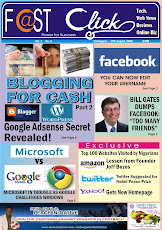
we have finally moved to our new website and blog.
get all the details and ,log on to
www.FastClickng.com discover the web
empowering Nigerians through the Internet

HOW SECURED ARE YOUR ONLINE ACCOUNTS AND PASSWORDS
The internet has over 8 billion web pages coming from millions of websites. Some websites are more popular than others and usually have millions of users. Many of us have user accounts in some of these websites (by account I mean email accounts, bank accounts, and any other platform with passwords as a means of identification and access). If you go to alexa.com; you will see a list of top 100 websites that are used by millions of people all over the globe.
If you are like many others around the world, you may have up to 3 to 5 online accounts with passwords on this popular websites. You may have a few email addresses, a Facebook account, a YouTube account, a blogger account or on other blogging platform, an account on twitter, your laptop may even be passworded.
Your may also have an account in a few forums or on a gaming community.
If you are a webmaster, you will have more accounts and more passwords to manage.
At the end of the count a few people may have up to 10 or more passwords to their name. At the average most people have between 3 and 5 passwords to manage.
This alone has many problems and has led people to just use a singular password for many accounts. This is a very dangerous mistake because if a hacker gets into one account, he can get into all. This is caused by the use of a weak password on all the accounts.
So, the question is, how secured are your accounts? How strong are your passwords? Do you just out of laziness or ignorance; just use the same weak password for all online accounts?
This is a wrong move that is very dangerous. A few people might argue that they have nothing to hide and do not care if some one breaks into their accounts.
Well, the danger sometimes is not what you have on your account but what the person who has unauthorized access to your account will do to or with your account.
Weak passwords have been the main causes of numerous cases of identity theft, malfunctioning of accounts and other negative occurrences.
Hackers are highly intelligent people now equipped with hacking soft wares that can break into any account within seconds. A password is the only hurdle they have to cross. Increasing the strength of your password directly means increasing the size of the hurdle they will have to cross. Making you password strong will at least stall the efforts of hackers or identity thieves.
It is not out of place to reiterate again that your account and password security is not a light matter and should be taken very seriously.
Using many different passwords for different accounts could sometimes be very problematic because sometimes it may be hard to remember. It might also be a waste of your time to retrieve your old or new password which will be sent to you when you complain about a forgotten password, but it is worth the trouble when you consider the trouble with a compromised or weak pass worded account.
HOW TO MAKE A STRONG PASSWORD
In today’s online world, having a strong password is a must. However, the problem with strong passwords is that they can be difficult to remember. Altering the passwords you currently use by adding a meaningful symbol is one step toward making them difficult for Internet thieves to crack. Here is a list of things you can add or do to increase the strength of your passwords:
They include:
A lot of people have actually heard this warning but a few have heeded to it. It is shocking that a few people still use their names, name of a girlfriend, father, or people close to them as passwords to their accounts.
This is a very weak password and can be easily guessed by a hacker or people around you.
Another very popular weak password is using your date of birth or that of a few people close to you.
All this passwords are they first guesses any intelligent hacker will try on your account.
So as a rule, never use any of the under listed items as a password.
a) Your registration number of any kind in any school or institution
b) Names of former institutions or alma Mata
c) Your bank account numbers and pins
d) Name of Best friend or girl friend
e) Names of your children
f) Name of wife or date of birth of wife
g) Number of present or former address
h) Name of pet animal
And any other thing easily connected to you.
There are a few words that are a big NO NO for passwords; they are so obvious that even a baby hacker could break them.
As a rule, never leave the default password(s) live that come automatically set from the factory or on an account. This sounds obvious but a lot of people continue to use these pre-assigned passwords. There are a multitude of reasons why this isn't safe; I am sure you can guess many of them. Some of these passwords are: Password, Admin, Administrator, default, 1234, and 0000.
The over-all length of your password does MORE for your safety than the passwords level of difficulty in being short. The more varied your passwords are, the better your chance of keeping security breach isolated to a single account of whatever type it happens to be.
Don't ever use letters or numbers in a sequence; such as 567 or EFG. You are looking to create a password that would not be easily guessed or hacked. Always Remember! -- Your password is the only barrier you have to keep everyone but you away from your private/financial information. When you read that in black and white like that I hope it really sinks in just how important your password creation IS.
Mix numbers and letters together to make more unbreakable type passwords. We have been warned against the dangers of using social security numbers, birthday dates, family names, etc.ANY easily guessed information -- pet names for another example which is another one very common people use. If you were to use your pets name with one number in it - it would take a (brute-force –a software) attacker approximately 2 minutes to figure it out. If an identity thief already knows something about you, your name or birthdates may not be hard for them figure out at all.
Never use common words in the English language or the language of your home country. Using real words is NOT safe. Brute Force and other similar software random word generators run through words in seconds and make it super easy for hackers to gain entry into another person’s computer network.
Instead of thinking of a word or a name or a date, think instead in terms of a sentence that would be easy to remember. The less generic your sentence is, the stronger it will be. Instead of using something such as "Tuesday is Yoga Class" think in terms of something more unique like "Joe got a new computer on a Monday".
Make your password program is case sensitive! This is one of the very BEST things you can do for your security. Then, don't vary your letters and/ or numbers systematically. Randomly go through your sentence and capitalize letters that will be easy for you to remember so your sentence now looks like this: "jOegoTaneWcompUteroNamonDay."
Use symbols for some of the letters in your sentence. You can play with the length of your password now. Just remember that passwords which are over 16 letters are strongest. When you are done, your password will look something like this: "jOe$oT#neWcompU&eronamon$ay." Then be CERTAIN to write your password down and place in a secure location. If you don't write your password down and you forget it, then all the time you spent creating your unbreakable password has been wasted plus you now can't get into your own account(s)!!
Finally, remember that no single one of these procedures by themselves will keep your accounts safe but if you use ALL of them, you stand an excellent chance of Never being Hacked.
Now you have a strong password, well you can now stop hackers and if you forget your password, will also shut yourself out. In essence, it is important to write down your password somewhere safe. But make sure you don’t write what account the password is for.
Your strong password is for one account so what do you do to your other accounts.
Well, you can use the same strong password or you can add a few more words, numbers, letters or symbols to separate each account.
For example, you can add the name of the website to the password of the account. If your strong password is jOe$oT#neWcompU&eronamon$ay, you can add Facebook to it for your Facebook account and do the same for your Twitter account.
If this seems like too much work, then you may decide to do this just for your very important accounts like your online bank access passwords and other financial accounts. The truth is just adding a dot and number to your present password will make it stronger but using all the points above will give it maximum strength.
Finally, I will leave you with a popular saying, always remember –safety first.
Culled from issue 2 of fastclick newspaper